
Bit
Reactor energy. Spend it on robot trips, repairs, crafting and infrastructure upgrades.
Player guide
Learn where to start, how to build your equipment and when to bring your loot home.
A quick guide to the current test version. Balance may change.
Loading the 3D model…
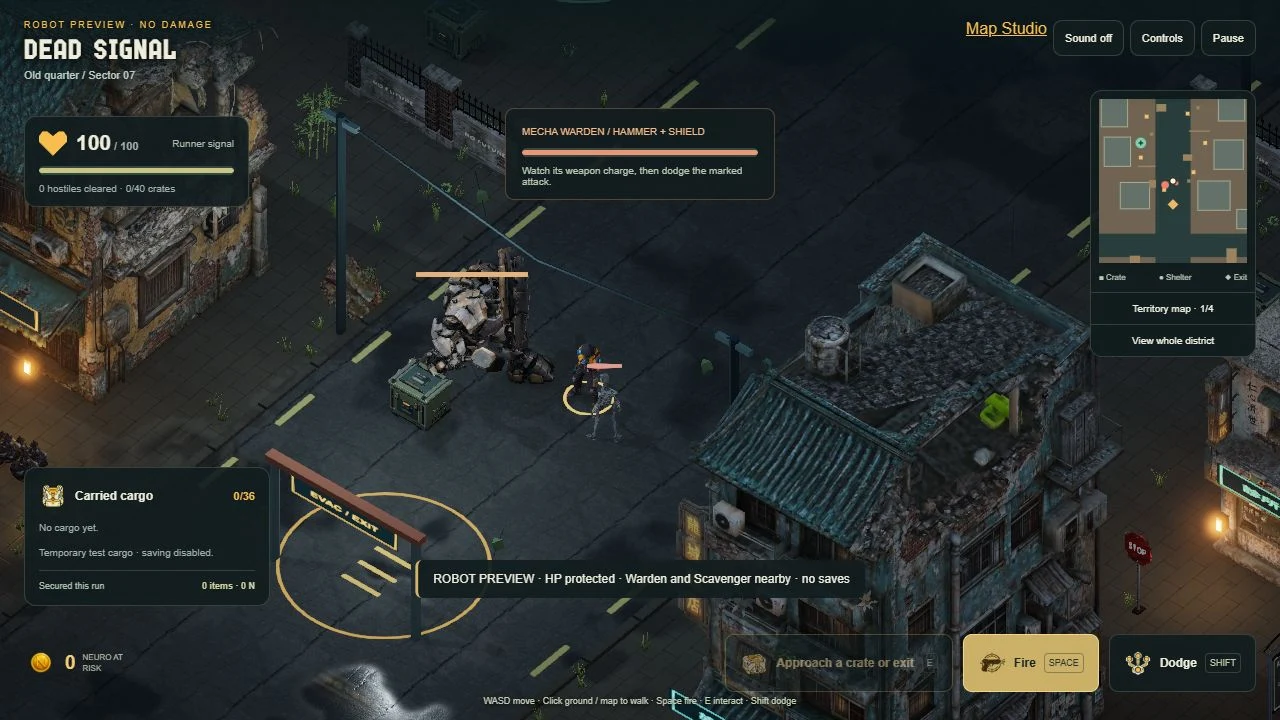
Watch the warning. Dodge the strike.
Afterlight
Your room is your base. Night Shift gets you started; the reactor and salvage robot keep it growing.
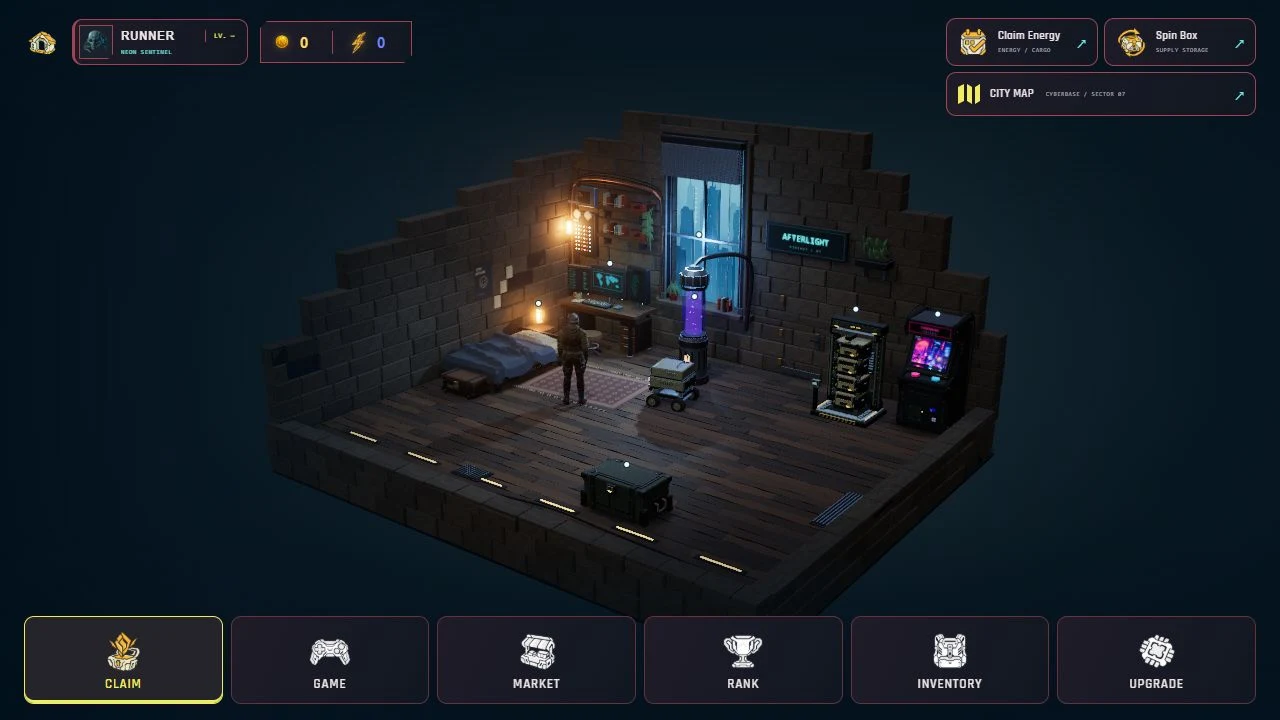
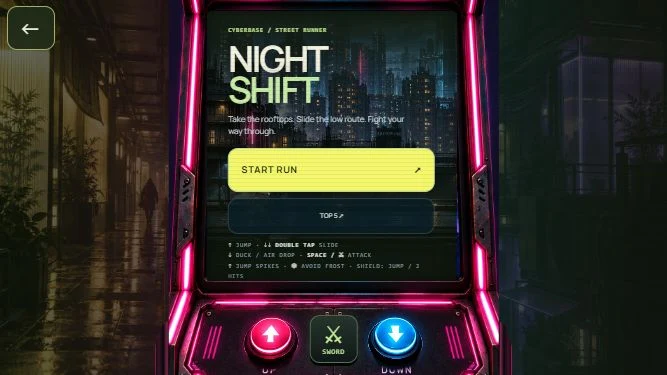
Open Game or interact with the arcade. Jump, duck and fight your way through a run. Finish a productive run lasting at least 30 seconds to earn your first materials.
Open Claim or Upgrade → Station. Use 1 Scrap and 1 circuit fragment for the one-time manual start: 2 Bit of starting energy. Collect it; the reactor then produces Bit over time.
Open Upgrade → Robot. Choose the materials you need, pay the dispatch cost and send Scout. Its first trip takes 4 hours and costs 1 Bit.
Receive the returned cargo. Make chips or aluminium in Station, then open Craft for equipment. Check the full recipe and collect the finished order before equipping it in Inventory.
The manual start uses your circuit fragment. If you have none left for a chip, send Scout or finish another productive Night Shift run first.
The gameplay loop
Select a step to see its screen and what to do there.
Walk to a station and press E, or use the bottom menu.
Dead Signal currently uses a separate expedition stash. Its cargo does not feed room crafting or the shared Neuro ranking.
Keep these close
On a phone, use the movement stick and tap the station or menu. Graphics and weather are in Profile → Settings.
On a phone, use UP, DOWN and SWORD on the cabinet. Time your jumps around spikes and avoid enemy projectiles.
On a phone, use the stick, Fire, Dodge and the contextual action button. The territory map helps you find shelters and exits.
N–07 / S–07
Reactor energy. Spend it on robot trips, repairs, crafting and infrastructure upgrades.

Progress earned through productive play and development. The ranking tracks what you earn.
Collect Bit in Claim or Station. A full reactor buffer stops production, so make room by collecting and spending energy. The normal collection reserve is 48 Bit.
| Level | Bit per hour | Buffer | Craft slots |
|---|---|---|---|
| MK1 | 0.25 | 6 Bit | 1 |
| MK2 | 0.50 | 12 Bit | 2 |
| MK3 | 0.65 | 18 Bit | 3 |
| MK4 | 0.90 | 24 Bit | 4 |
Choose a route for industrial salvage, electronics, or textiles and casings. Scout and Hauler take 4 hours; Surveyor and Pathfinder take 3. MK1–2 cost 1 Bit to dispatch; MK3–4 cost 2. Receive one trip’s cargo before sending the next.
Each dispatch uses 20% condition. Repair the robot at the station before the next trip at 0%. Repairs cost Bit; upgrading a model does not repair it.
N–07 MK2 → S–07 MK2 → N–07 MK3 → S–07 MK3 → N–07 MK4 → S–07 MK4
The reactor unlocks models and recipes; the robot brings the ingredients for the next upgrade. Check each upgrade’s material and Bit requirements before starting.
Your workshop
Make components in Station, choose a recipe in Craft, then equip the completed item in Inventory.
Microchip1 circuit fragment + 1 Scrap + 1 Bit → 1 chip
Aluminium2 Scrap + 1 Bit → 1 aluminium
Equipment progresses through Common, Uncommon, Rare, Epic and Legendary. Higher-tier equipment recipes can require the previous item. Collect the finished order, then choose a slot in Inventory and equip it.
Current equipment bonuses affect the room economy. They do not change Night Shift speed, health or combat. A crafted weapon does not add a new arcade attack.
Basic boxes can arrive with robot cargo. Open a box you own in Market. The animation preview is only a preview and grants no item. Premium purchases are currently unavailable.
Beyond the base
Explore the abandoned district, search for salvage and choose when to leave. Loot in your backpack is still at risk.
Start at the southern Afterlight gate. Follow roads, check the radar and approach a crate. Press E to search it. Your backpack holds 36 material units; a crate stays closed if its contents will not fit.
Fire at visible enemies. Walls block shots. Leave the marked attack area or dodge before the strike lands. Warden is optional: you can evacuate without defeating it.
Reach a shelter to heal and reduce exposure. Open its cargo menu, choose the quantities to store and confirm. Entering a shelter alone does not secure your backpack.
Reach an exit, press E and stay still for 4 seconds. Movement, firing, damage or leaving the zone cancels evacuation. Death or leaving the run loses everything still carried; secured cargo survives.
Dead Signal cargo is saved separately in this browser. It is not transferred to the room inventory or shared Neuro ranking. Reloading ends the current run; only successfully secured cargo remains.
Watch radiation warnings in R–07. Step out of contaminated areas; shelters reduce exposure and restore health.
The long game
Productive runs, returned cargo, collected energy and development earn permanent XP. Player levels are separate from the competition’s dates.
Rank tracks earned Neuro from qualifying activity. Spending resources does not reduce this score. Competition dates will be announced separately.
Your strongest Night Shift distance. Room equipment does not give an arcade combat advantage.
The first 6 productive runs give full materials and Neuro; the next 6 give half. After 12, you can keep playing for Best Run, but material rewards stop until the next UTC day. Short failed attempts do not use a reward slot.
When you get stuck
Check whether you have completed the one-time manual start and whether the buffer is full. Collect energy, then spend Bit to make room in your collection reserve.
Receive its previous cargo first. Then check your Bit and the robot’s condition. At 0% it needs repair; only one trip can run at a time.
A reward requires a productive completed Night Shift run lasting at least 30 seconds. Very short attempts, early exits and runs without pickups or victories give no reward. The daily reward limit also applies.
Older local practice saves remain separate from server progress and shared rankings. Local stock is not automatically uploaded or credited as ranked progress.
This page is the player guide. The main site remains on Coming Soon until public access is announced.